
Grocery spending is one of the easiest budget categories to lose track of because it is made of many small purchases. Wise Budget works well for this problem because it keeps the plan, the entries, and the monthly report in one place.
The simple problem
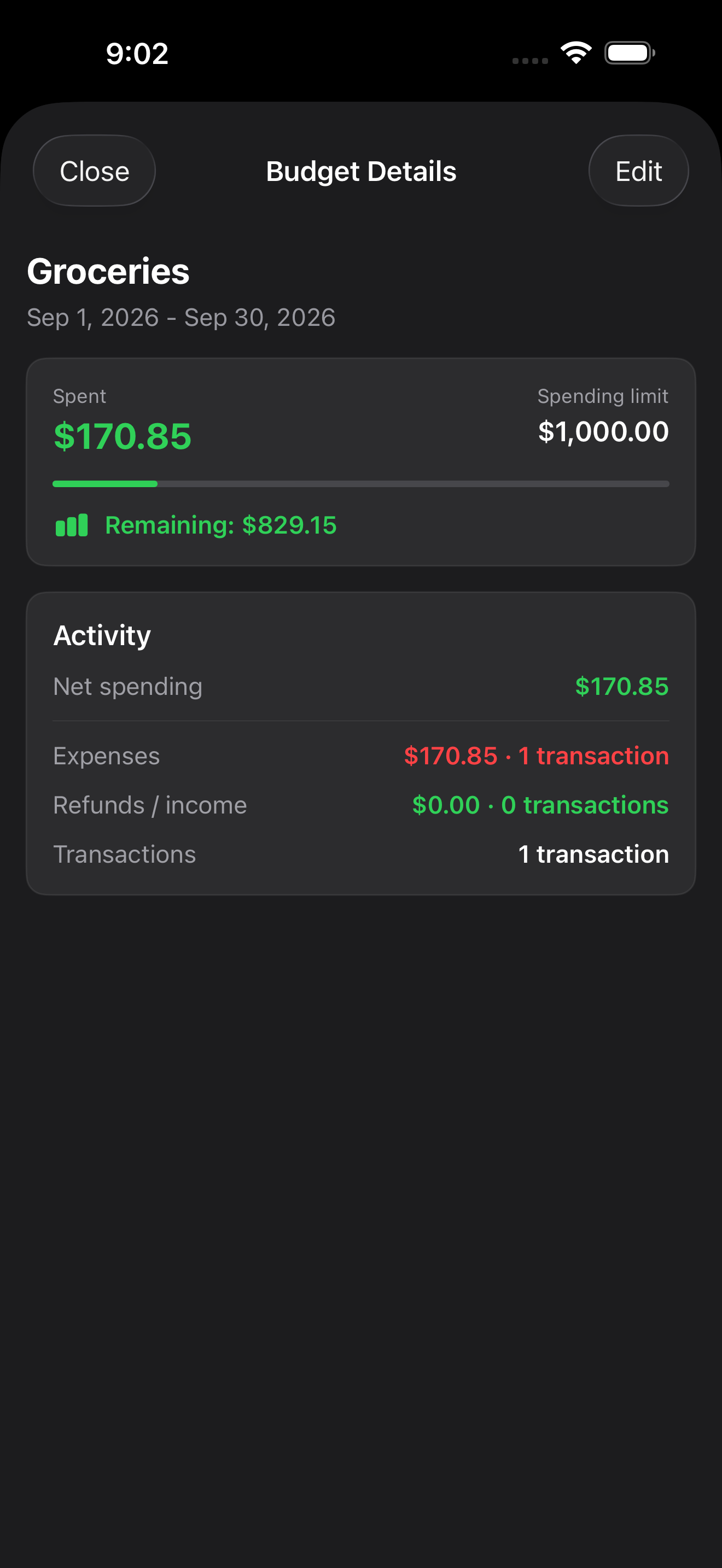
You want to spend no more than $1,000 on groceries this month. You do not need a complex finance system. You need a clear category, a monthly budget amount, and a habit of recording grocery purchases when they happen.
Step 1: Create a grocery budget
Open Plan, choose your grocery budget, and set the planned amount for the month. The goal is not to predict every receipt perfectly. The goal is to create a clear limit before the month gets noisy.
Step 2: Record each grocery purchase
After each grocery trip, add an expense entry with the amount, date, account, and grocery category. This takes a few seconds and gives the budget screen enough information to show how much of the plan has already been used.
You can also scan a receipt, review its details, and split the total between groceries and other categories before saving. If you shop from multiple accounts, such as a credit card and a cash wallet, record the account too. That keeps both your spending history and account tracking clearer later.
Step 3: Check the budget before the next shop
Before another grocery run, open Plan and look at the remaining amount. If the category is close to the limit, you can adjust the next trip instead of discovering the overage at the end of the month.
Step 4: Review the month
At the end of the month, open Insights and use Reports to compare groceries with other categories. If groceries were higher than expected, you can decide whether the budget was too low, the month was unusual, or the habit needs a small change.
The useful habit
The value is not the $1,000 number by itself. The value is seeing the plan and the real spending together while there is still time to act. That is the kind of small monthly decision Wise Budget is built to support.
Choosing the right budgeting app
Still comparing options? Use this practical guide to choosing an iPhone budget app without a subscription.
Try this routine in Wise Budget
Track expenses, plan budgets, and review your progress on iPhone and iPad. One-time purchase, no subscription.