iPhone budgeting with clearer insights

Understand your money month after month.

Wise Budget helps you record expenses, plan category budgets, follow account balances, and spot what changed with evidence-based monthly insights from a fast iOS app that stays focused on your numbers.

No subscription
One-time purchase
iCloud optional
Sync when you choose
Monthly insights
See what changed
Wise Budget reports screen showing evidence-based insights, income versus expenses, and category spending.
Wise Budget dark mode entries screen showing recent expenses, dates, accounts, and category icons.
Monthly insights

Reports highlight useful observations from the period, not just charts.

Manual control

Record what matters without connecting every account to a service.

Real categories

Use accounts, categories, and subcategories that match your household.

Built around monthly decisions

A budgeting app that stays practical.

Wise Budget is designed for people who want a clear monthly picture: what came in, what went out, what changed, and which patterns need attention.

01

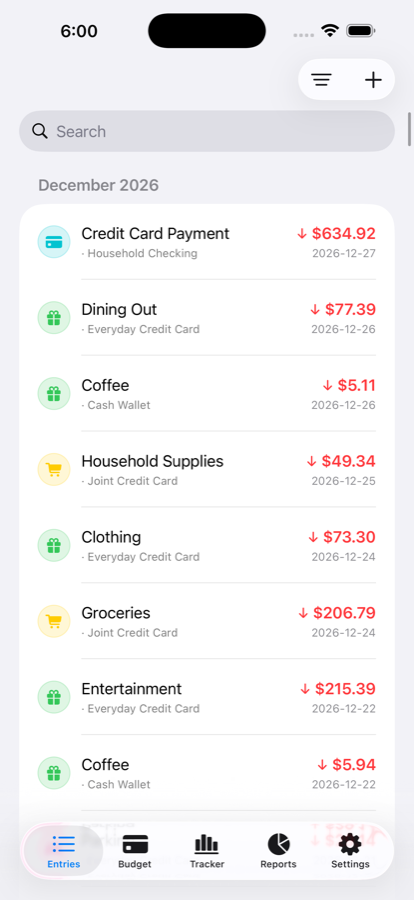
Capture entries quickly.

Add expenses and income with the account, category, amount, and date. Search and review the month without digging through a spreadsheet.

  • Expense and income entries
  • Account-level organization
  • Category icons and color cues
Wise Budget light mode entries list with search and categorized transactions.
02

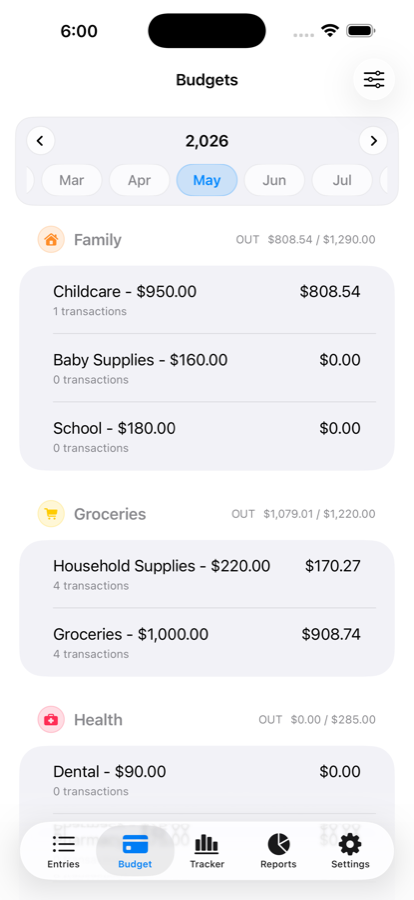
Plan budgets by category.

Set monthly spending plans for the categories and subcategories that actually matter: groceries, family, health, utilities, lifestyle, savings, and more.

  • Monthly budget periods
  • Category and subcategory totals
  • Readable progress against planned amounts
Wise Budget budget screen with category totals and monthly budget details.
03

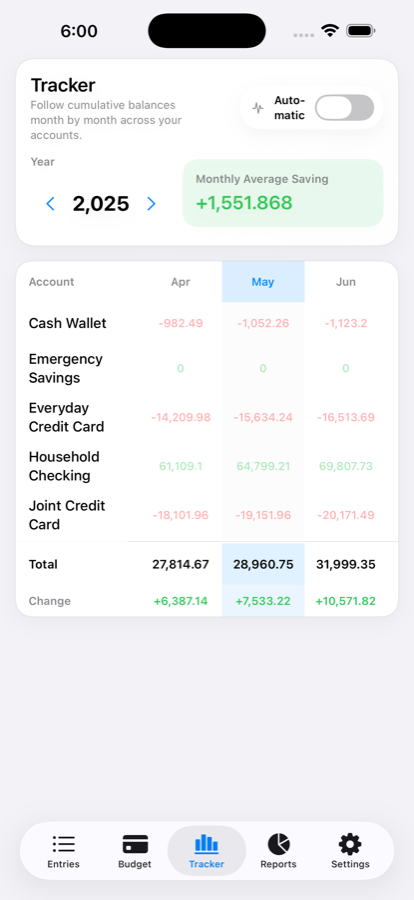
Follow balances over time.

The tracker view shows cumulative balances month by month across accounts, including total change and average saving signals.

  • Automatic and manual tracking modes
  • Account-by-account monthly table
  • Clear total and change rows
Wise Budget tracker screen showing account balances by month and monthly average saving.
04

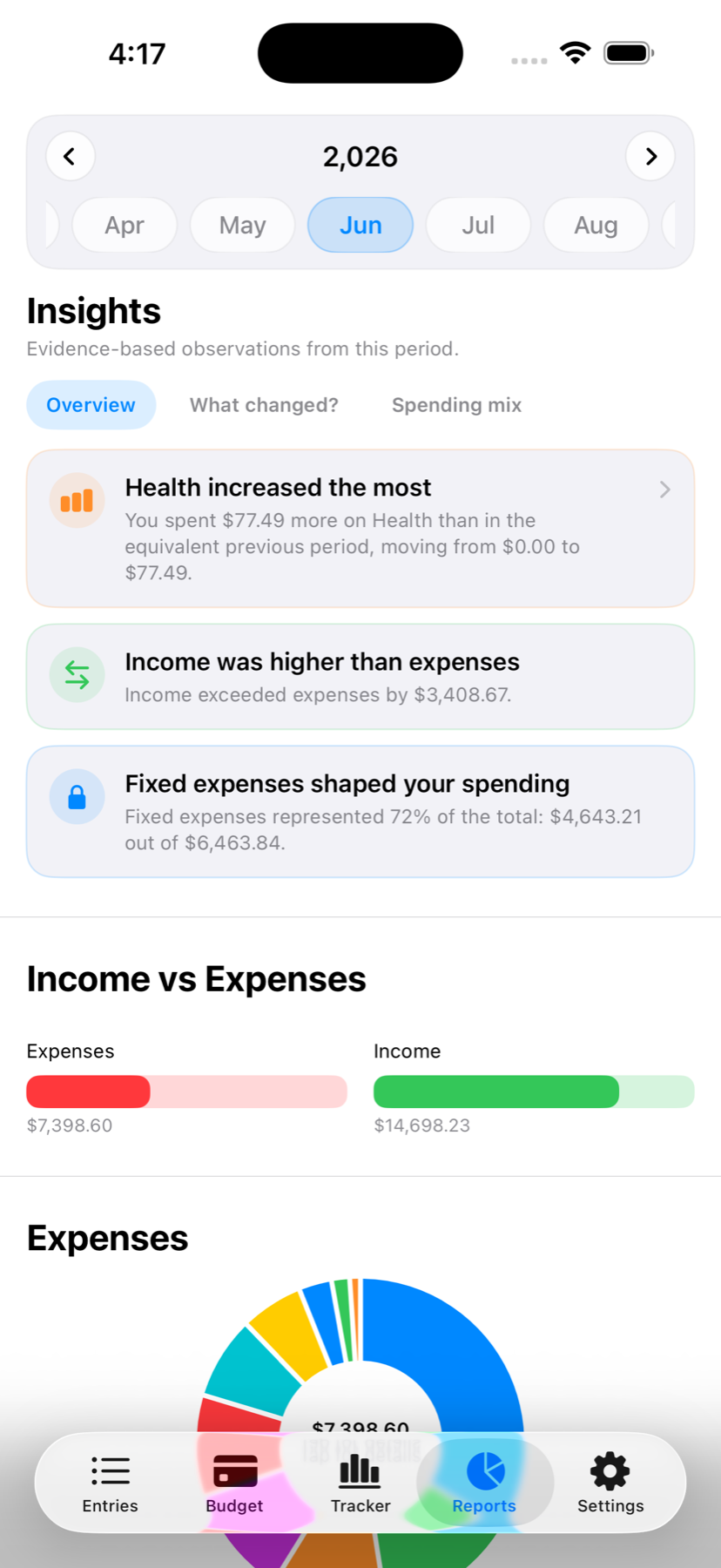
Turn reports into useful insights.

Reports summarize income versus expenses, explain what changed, and surface category patterns so the next decision is easier to make.

  • Evidence-based monthly observations
  • Income and expense comparison
  • Colorful category breakdowns
Wise Budget dark mode reports screen with evidence-based insights, income versus expenses, and a donut chart.

Own the workflow

Budgeting without handing over your financial life.

Manual by design

Wise Budget focuses on deliberate entry and review, so you stay close to the decisions behind your numbers.

Optional iCloud sync

Use iCloud when you want automatic sync across Apple devices, or keep your workflow local.

Manual backup tools

Export and import backup files from settings when you want direct control over your budget data.

No subscription loop

Wise Budget is a one-time purchase app, built for practical budgeting rather than recurring upsells.

Looks native because it is native

Light mode for clarity. Dark mode for late-night reviews.

Questions

Before you download.

Is Wise Budget free to use?

Wise Budget is a one-time purchase app. There are no recurring subscription fees.

Does Wise Budget connect to my bank?

No. Wise Budget is built around manual tracking, category budgets, reports, and account balance review.

Can I use Wise Budget in dark mode?

Yes. Wise Budget supports light and dark appearance so the app can match your iPhone settings.

What are monthly insights?

Monthly insights are evidence-based observations from your reports, such as what changed, where spending increased, and how income compared with expenses.

Can I back up my budget data?

Yes. The app includes iCloud sync options and manual backup import/export tools from settings.

Start budgeting with a clearer monthly view.

Download Wise Budget for iPhone and make expense tracking, category budgets, balance tracking, and evidence-based monthly insights part of one simple routine.

Download on the App Store